Disclosure: This post contains affiliate links. If you buy through them, we may earn a commission at no extra cost to you. We only recommend tools we use with our own clients.
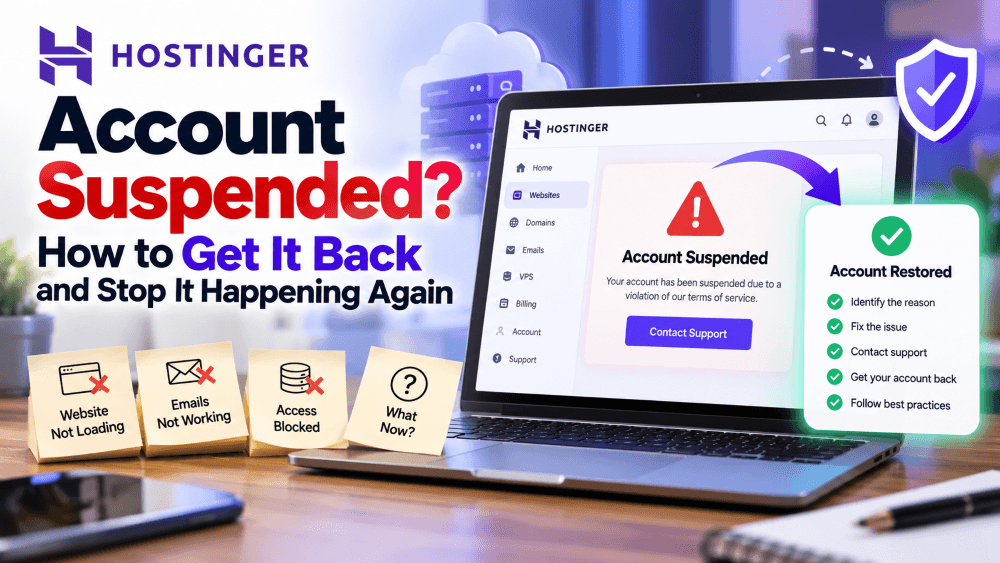
You open your website and it’s gone. hPanel won’t show your plan, or there’s an email asking for your ID within 7 days. If your Hostinger account has just been suspended or flagged for verification, this guide is for you.
Most suspensions can be reversed if you act quickly and send the right documents the first time. Below is exactly what triggers a suspension, what to do in the first hour, how to pass ID verification without endless back-and-forth, and how to make sure it never happens again.
Recent public reviews show a familiar pattern. A small business runs happily for months, then a verification email lands in a mailbox nobody checks. Seven days later the site, email and dashboard go down together, and the owner spends the next week sending the same documents to different support agents. Almost every step of that story is avoidable.
You can also check my Hostinger review here
Why Hostinger suspend accounts
Hostinger suspends whole accounts, not just one site, when its automated systems or abuse team flag a risk. Knowing which trigger hit you tells you which fix to use.
| Trigger | What it looks like | How common |
|---|---|---|
| Identity verification (KYC) not completed | Email asking you to verify ID within 7 days; whole account suspended if you miss it or fail | Very common in 2026 complaints |
| Phishing or malware report | Suspension email citing abuse; often a hacked WordPress plugin or theme planted the files | Common, and the most disputed |
| “High risk of misuse” flag | Account and sometimes your device blocked; asked to verify and appeal | Common for new accounts |
| Suspicious domain names | Generic finance or insurance domains flagged; asked for business proof matching the domain | Occasional |
| Terms of Service violation | Plan disappears from the dashboard homepage; warning on the Websites page | Catch-all |
| Domain-level hold (ICANN or registry) | Site and email stop; domain shows serverHold or pending verification | Separate from hosting, often confused with it |
The phishing trigger deserves extra attention. Hostinger has a long history of being abused by scammers because it’s cheap and quick to sign up, so its abuse systems are aggressive. That means a legitimate site with one compromised plugin can get the same treatment as an actual scammer.
The new-account trigger is also real: payment from a card in a different name, a VPN at signup, or a cluster of new domains bought at once can all look risky to automated checks.
What to do in the first hour
Speed matters most here: KYC requests have a 7-day window, and abuse suspensions get harder to reverse the longer they sit unanswered.
- Find the suspension email. Hostinger sends one email listing every suspended service, the reason, and the documents or actions it needs. Check spam, promotions and any old inbox tied to the account.
- Confirm what’s actually suspended. In hPanel, go to Websites. A suspended plan won’t appear on the dashboard homepage and shows a warning there instead. If only your site or email is down, run your domain through a WHOIS lookup to rule out a domain-level hold.
- Don’t open five tickets. Click Contact Us in the suspension warning on the Websites page and keep everything in one thread. Multiple tickets get routed to different agents and restart the clock.
- If it’s a phishing or malware claim, ask for evidence. Request the exact URL or file path flagged. Then scan your site, remove the files, and update or delete outdated plugins and themes before you reply.
- Secure everything. Change your hPanel, WordPress admin and FTP passwords and turn on two-factor authentication. If you were hacked, an unsuspended site will just get flagged again.
- Save your data. Even when your account is suspended for a failed verification, Hostinger says you can still access backups and transfer domains. Download them now, whatever happens next.
- Reply with everything at once. One complete, calm reply with all the documents gets resolved faster than a trickle of partial answers.
Getting through ID verification on the first try
Most “endless verification” stories come from one mismatch: the name on your ID, the payment and the account don’t line up. Fix that before you submit, not after a rejection.
Hostinger runs KYC on accounts its system marks as suspicious. You get an email with a secure link, upload your documents, and the check runs automatically. Miss the 7-day deadline or fail it and the whole account is suspended.
Have these ready before you click the link:
- Government photo ID (Aadhaar, PAN, passport or driving licence) in the same name as the Hostinger account
- Payment proof: the invoice from hPanel plus a bank or card statement line showing the Hostinger charge
- Business proof if the account or domain is in a business name (GST certificate, Udyam registration or similar)
- Access to the email address on the account, and an alternative email
Why verifications get rejected:
| Problem | Fix |
|---|---|
| Card or UPI belongs to a family member or client | Add a short signed note explaining the relationship, plus their ID if they agree |
| Account name differs from ID (nickname, initials, business name) | Update the account name in hPanel to match your ID before submitting |
| Blurry photo, cropped corners, glare | Scan flat in good light; JPG, PNG or PDF, all four corners visible |
| Domain name doesn’t match your business | Show how they connect: a website, invoice or registration using the domain |
| Submitted from a VPN or different country | Turn off VPN and submit from your usual location and device |
Only send what’s needed. Hostinger’s own guidance is to redact sensitive details that aren’t required, so mask full card numbers and unrelated statement lines.
Locked out of the account email? Use the Can’t Access Your Account? link on the login page. You’ll need an email you can access, a domain on the account, and an ownership document such as a payment receipt.
If support stalls
If you’ve sent complete documents and still get bot replies or new requests after 48 hours, escalate in writing and plan your exit in parallel.
- Ask for a human and a ticket number. In live chat, ask directly to be passed to the abuse or verification team, and note the ticket ID.
- Email the quality team. Hostinger publicly points unhappy customers to quality@hostinger.com. Send a short timeline: date suspended, what you submitted and when, and what you’re asking for.
- Post a factual public review. Hostinger replies to most Trustpilot reviews, and that thread often reaches someone with more authority. Stick to dates and facts.
- Request your data in writing. Ask explicitly for a full backup of files, databases and email, even if the suspension stands.
- Ask about refunds the right way. Hostinger offers a 30-day money-back guarantee on most plans; suspensions for policy violations usually aren’t covered. If you’re inside 30 days and the suspension was an error, say so plainly.
- Move the domain. If the domain is registered with Hostinger, unlock it and get the EPP code so you can point it at a new host.
Tip: Keep one running note with your timeline, ticket IDs and everything you’ve sent. Paste the same short summary at the top of every reply, so each new agent sees the full picture instead of asking you to start over.
How to make your account suspension-proof
You can’t control Hostinger’s abuse filters, but you can make sure a suspension never takes your data or your business down with it.
- Keep off-site backups. Run a weekly backup to Google Drive or Dropbox with a plugin like UpdraftPlus. Hostinger’s backups sit inside the account that might get locked.
- Don’t use a Hostinger mailbox as your login email. If that mailbox is suspended, you can’t receive reset or verification emails. Use Gmail or another outside address for the account.
- Match names everywhere. Account holder, payment method and ID should be the same person or business from day one.
- Verify early. Complete domain contact verification as soon as the email arrives; .in domains get only a 7-day window.
- Patch WordPress weekly. Most phishing flags start with a hacked plugin. Delete what you don’t use, update the rest, and add a security plugin like Wordfence.
- Avoid risky signup patterns. No VPN at checkout, and don’t buy a batch of generic finance or crypto domains on a brand-new account.
- Keep your domain somewhere else. Registering it with a separate registrar means a hosting suspension can’t hold your domain hostage.
Our take as a web agency
At SuperBuzz Media we build sites for businesses across Chandigarh and Punjab, and the setup we recommend treats suspension risk as part of launch, not an afterthought: off-site backups, an outside login email and matching account details from day one.
Starting a new site? A fresh, verified account set up correctly from the start avoids most of the problems above.
Check Hostinger’s latest pricing here
Get Hostinger through our link and run through the prevention checklist as you set it up.
Need help getting a suspended site back online or migrating it safely? Contact SuperBuzz Media.
FAQ
How long does Hostinger ID verification take? Submission is automated, and the account updates on its own once you pass. You have 7 days from the request email to complete it.
Will I lose my website if my account is suspended? Not necessarily. For verification-related suspensions, Hostinger says you can still access backups and transfer domains. Download everything straight away.
Can I get a refund after a suspension? Refunds within 30 days are possible for genuine errors, but suspensions for Terms of Service violations are usually excluded.
My site wasn’t phishing. Why was I flagged? Usually a hacked plugin or theme placed phishing pages on your site without you knowing. Clean the site, then ask Hostinger for the flagged URL and request a review.
Is Hostinger still safe to use? For most small sites, yes: it holds strong overall ratings. Just follow the prevention steps so a false flag can’t take your business offline.

Author Profile
Digital marketer and founder of SuperBuzz Media, with hands-on experience in performance marketing, lead generation, WordPress, AI automation, and digital marketing tools. I share practical insights, real-world experiences, and tool reviews to help businesses make smarter digital decisions.