Disclosure: This post contains affiliate links. If you buy through them, we may earn a commission at no extra cost to you. We only recommend tools we use with our own clients.
You open your website and it’s gone. hPanel won’t show your plan, or there’s an email asking for your ID within 7 days. If your Hostinger account has just been suspended or flagged for verification, this guide is for you.
Most suspensions can be reversed if you act quickly and send the right documents the first time. Below is exactly what triggers a suspension, what to do in the first hour, how to pass ID verification without endless back-and-forth, and how to make sure it never happens again.
Recent public reviews show a familiar pattern. A small business runs happily for months, then a verification email lands in a mailbox nobody checks. Seven days later the site, email and dashboard go down together, and the owner spends the next week sending the same documents to different support agents. Almost every step of that story is avoidable.
Hostinger suspends whole accounts, not just one site, when its automated systems or abuse team flag a risk. Knowing which trigger hit you tells you which fix to use.
Trigger
What it looks like
How common
Identity verification (KYC) not completed
Email asking you to verify ID within 7 days; whole account suspended if you miss it or fail
Very common in 2026 complaints
Phishing or malware report
Suspension email citing abuse; often a hacked WordPress plugin or theme planted the files
Common, and the most disputed
“High risk of misuse” flag
Account and sometimes your device blocked; asked to verify and appeal
Common for new accounts
Suspicious domain names
Generic finance or insurance domains flagged; asked for business proof matching the domain
Occasional
Terms of Service violation
Plan disappears from the dashboard homepage; warning on the Websites page
Catch-all
Domain-level hold (ICANN or registry)
Site and email stop; domain shows serverHold or pending verification
Separate from hosting, often confused with it
The phishing trigger deserves extra attention. Hostinger has a long history of being abused by scammers because it’s cheap and quick to sign up, so its abuse systems are aggressive. That means a legitimate site with one compromised plugin can get the same treatment as an actual scammer.
The new-account trigger is also real: payment from a card in a different name, a VPN at signup, or a cluster of new domains bought at once can all look risky to automated checks.
What to do in the first hour
Speed matters most here: KYC requests have a 7-day window, and abuse suspensions get harder to reverse the longer they sit unanswered.
Find the suspension email. Hostinger sends one email listing every suspended service, the reason, and the documents or actions it needs. Check spam, promotions and any old inbox tied to the account.
Confirm what’s actually suspended. In hPanel, go to Websites. A suspended plan won’t appear on the dashboard homepage and shows a warning there instead. If only your site or email is down, run your domain through a WHOIS lookup to rule out a domain-level hold.
Don’t open five tickets. Click Contact Us in the suspension warning on the Websites page and keep everything in one thread. Multiple tickets get routed to different agents and restart the clock.
If it’s a phishing or malware claim, ask for evidence. Request the exact URL or file path flagged. Then scan your site, remove the files, and update or delete outdated plugins and themes before you reply.
Secure everything. Change your hPanel, WordPress admin and FTP passwords and turn on two-factor authentication. If you were hacked, an unsuspended site will just get flagged again.
Save your data. Even when your account is suspended for a failed verification, Hostinger says you can still access backups and transfer domains. Download them now, whatever happens next.
Reply with everything at once. One complete, calm reply with all the documents gets resolved faster than a trickle of partial answers.
Getting through ID verification on the first try
Most “endless verification” stories come from one mismatch: the name on your ID, the payment and the account don’t line up. Fix that before you submit, not after a rejection.
Hostinger runs KYC on accounts its system marks as suspicious. You get an email with a secure link, upload your documents, and the check runs automatically. Miss the 7-day deadline or fail it and the whole account is suspended.
Have these ready before you click the link:
Government photo ID (Aadhaar, PAN, passport or driving licence) in the same name as the Hostinger account
Payment proof: the invoice from hPanel plus a bank or card statement line showing the Hostinger charge
Business proof if the account or domain is in a business name (GST certificate, Udyam registration or similar)
Access to the email address on the account, and an alternative email
Why verifications get rejected:
Problem
Fix
Card or UPI belongs to a family member or client
Add a short signed note explaining the relationship, plus their ID if they agree
Account name differs from ID (nickname, initials, business name)
Update the account name in hPanel to match your ID before submitting
Blurry photo, cropped corners, glare
Scan flat in good light; JPG, PNG or PDF, all four corners visible
Domain name doesn’t match your business
Show how they connect: a website, invoice or registration using the domain
Submitted from a VPN or different country
Turn off VPN and submit from your usual location and device
Only send what’s needed. Hostinger’s own guidance is to redact sensitive details that aren’t required, so mask full card numbers and unrelated statement lines.
Locked out of the account email? Use the Can’t Access Your Account? link on the login page. You’ll need an email you can access, a domain on the account, and an ownership document such as a payment receipt.
If support stalls
If you’ve sent complete documents and still get bot replies or new requests after 48 hours, escalate in writing and plan your exit in parallel.
Ask for a human and a ticket number. In live chat, ask directly to be passed to the abuse or verification team, and note the ticket ID.
Email the quality team. Hostinger publicly points unhappy customers to quality@hostinger.com. Send a short timeline: date suspended, what you submitted and when, and what you’re asking for.
Post a factual public review. Hostinger replies to most Trustpilot reviews, and that thread often reaches someone with more authority. Stick to dates and facts.
Request your data in writing. Ask explicitly for a full backup of files, databases and email, even if the suspension stands.
Ask about refunds the right way. Hostinger offers a 30-day money-back guarantee on most plans; suspensions for policy violations usually aren’t covered. If you’re inside 30 days and the suspension was an error, say so plainly.
Move the domain. If the domain is registered with Hostinger, unlock it and get the EPP code so you can point it at a new host.
Tip: Keep one running note with your timeline, ticket IDs and everything you’ve sent. Paste the same short summary at the top of every reply, so each new agent sees the full picture instead of asking you to start over.
How to make your account suspension-proof
You can’t control Hostinger’s abuse filters, but you can make sure a suspension never takes your data or your business down with it.
Keep off-site backups. Run a weekly backup to Google Drive or Dropbox with a plugin like UpdraftPlus. Hostinger’s backups sit inside the account that might get locked.
Don’t use a Hostinger mailbox as your login email. If that mailbox is suspended, you can’t receive reset or verification emails. Use Gmail or another outside address for the account.
Match names everywhere. Account holder, payment method and ID should be the same person or business from day one.
Verify early. Complete domain contact verification as soon as the email arrives; .in domains get only a 7-day window.
Patch WordPress weekly. Most phishing flags start with a hacked plugin. Delete what you don’t use, update the rest, and add a security plugin like Wordfence.
Avoid risky signup patterns. No VPN at checkout, and don’t buy a batch of generic finance or crypto domains on a brand-new account.
Keep your domain somewhere else. Registering it with a separate registrar means a hosting suspension can’t hold your domain hostage.
Our take as a web agency
At SuperBuzz Media we build sites for businesses across Chandigarh and Punjab, and the setup we recommend treats suspension risk as part of launch, not an afterthought: off-site backups, an outside login email and matching account details from day one.
Starting a new site? A fresh, verified account set up correctly from the start avoids most of the problems above.
Get Hostinger through our link and run through the prevention checklist as you set it up.
Need help getting a suspended site back online or migrating it safely? Contact SuperBuzz Media.
FAQ
How long does Hostinger ID verification take? Submission is automated, and the account updates on its own once you pass. You have 7 days from the request email to complete it.
Will I lose my website if my account is suspended? Not necessarily. For verification-related suspensions, Hostinger says you can still access backups and transfer domains. Download everything straight away.
Can I get a refund after a suspension? Refunds within 30 days are possible for genuine errors, but suspensions for Terms of Service violations are usually excluded.
My site wasn’t phishing. Why was I flagged? Usually a hacked plugin or theme placed phishing pages on your site without you knowing. Clean the site, then ask Hostinger for the flagged URL and request a review.
Is Hostinger still safe to use? For most small sites, yes: it holds strong overall ratings. Just follow the prevention steps so a false flag can’t take your business offline.
AuthorProfile
Digital marketer and founder of SuperBuzz Media, with hands-on experience in performance marketing, lead generation, WordPress, AI automation, and digital marketing tools. I share practical insights, real-world experiences, and tool reviews to help businesses make smarter digital decisions.
Hostinger is popular because it combines low introductory pricing with WordPress hosting, AI tools, CDN, backups, and a relatively simple management experience.
But it isn’t the right fit for every website.
You may be looking for Hostinger alternatives because of renewal pricing, resource requirements, server location, support preferences, WordPress features, or simply because you want to compare several providers before committing.
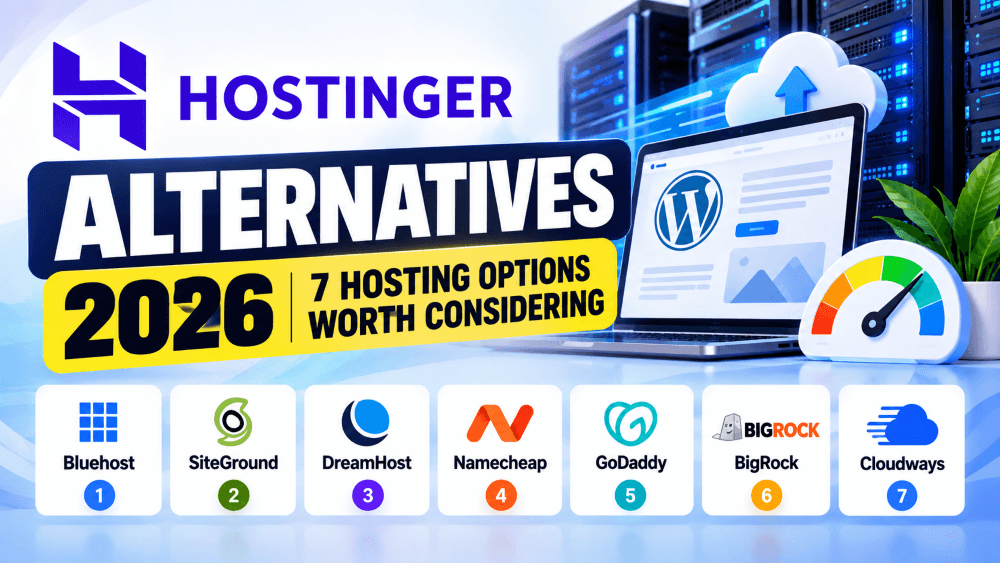
In this guide, we’ll look at seven Hostinger alternatives in 2026 and explain what each one offers, who it may suit, and what to check before switching.
The goal isn’t to declare one hosting company the winner. Different hosting environments make sense for different websites.
Why Look for Hostinger Alternatives?
There are several legitimate reasons someone might start researching Hostinger alternatives.
The first is pricing.
Hostinger’s current India web hosting promotion starts at ₹69/month for the Single plan on a 48-month term, but that plan renews at ₹289/month. Premium currently starts at ₹149/month and renews at ₹449/month. Check Hostinger’s Current Hosting Plans
If you’re planning to keep your website for several years, the renewal price becomes an important part of the calculation.
Our Hostinger pricing 2026 guide breaks down the current plans, upfront costs, and renewal prices in more detail.
Other reasons include:
You want cPanel.
You need a different server location.
You want a particular WordPress environment.
You need more advanced cloud infrastructure.
You prefer a specific support model.
You need different resource limits.
You’re managing multiple websites.
You want pay-as-you-go cloud hosting.
You’re moving away from shared hosting.
So there isn’t one universal reason to consider Hostinger alternatives.
What Should You Compare Before Switching?
Don’t compare hosting providers based only on the promotional monthly price.
Look at the complete package.
Important things to compare include:
Introductory price
Renewal price
Billing period
Number of websites
Storage
Backup frequency
CDN
SSL
Email
WordPress support
Migration
Server locations
Resource limits
Customer support
Control panel
Refund policy
Upgrade options
A hosting plan that costs slightly more may provide a feature you actually need.
At the same time, paying significantly more for resources you won’t use doesn’t necessarily make sense.
1. Bluehost
Bluehost is one of the more recognizable Hostinger alternatives, particularly for people building WordPress websites.
Its current India web hosting plans start at ₹199/month for the Starter plan on a 36-month term, with renewal listed at ₹349/month. The Starter plan currently includes 10 websites, 10 GB NVMe storage, AI site creation tools, a free domain for the first year, free migration tools, CDN, managed WordPress updates, and a 99.99% uptime SLA.
The Business plan currently starts at ₹279/month and supports up to 50 websites with 50 GB NVMe storage. Its listed features include malware scanning and removal, staging, CDN, backups, and additional security features.
Who might consider Bluehost?
Bluehost can be worth comparing if you’re primarily interested in WordPress and want features such as managed WordPress updates, staging, NVMe storage, and AI-assisted website creation.
It’s also useful to compare the actual pricing rather than assuming that a familiar hosting brand will be cheaper or more expensive.
We’ve already covered the Hostinger vs Bluehost comparison separately, including pricing, WordPress features, security, and renewal costs.
2. SiteGround
SiteGround is another option frequently considered by people researching Hostinger alternatives, especially when support, managed WordPress features, and performance tools are important.
SiteGround currently lists its StartUp plan at $2.99/month for the introductory period and GrowBig at $4.99/month. GrowBig renews at $29.99/month when prepaid annually.
The current plans include features such as free SSL, CDN, backups, email, website migration, caching, and WordPress management.
GrowBig also includes features such as staging, on-demand backups, and additional performance resources.
Who might consider SiteGround?
SiteGround may be worth investigating if you want managed WordPress features and are comfortable with a higher renewal price than many budget-oriented hosting plans.
Its cloud hosting is also a separate option for websites that need dedicated resources.
SiteGround currently lists its entry cloud plan at $100/month, with 4 CPU cores and 8 GB memory.
That puts its cloud offering into a very different price category from entry-level shared hosting.
3. DreamHost
DreamHost is another established provider worth including when researching Hostinger alternatives.
Its current web hosting plans are priced in US dollars.
The Launch plan currently starts at $2.89/month for the first year and renews at $10.99/month. It includes 25 websites, 25 GB NVMe storage, daily automated backups, free SSL, a free domain for one year, and a 30-day money-back guarantee.
The Growth plan currently starts at $3.99/month for the first year and supports 50 websites and 50 GB NVMe storage.
DreamHost also offers managed WordPress hosting and VPS hosting.
Its current VPS Business plan starts at $13.75/month for the first year and includes unlimited websites, 60 GB NVMe storage, 2 CPU cores, and 2 GB RAM.
Who might consider DreamHost?
DreamHost can be relevant if you’re looking for a provider with a range of shared, managed WordPress, and VPS options.
It may also be worth considering if you want daily backups and generous website limits on its shared plans.
Remember that its pricing is displayed in USD, so Indian customers should consider currency conversion and applicable taxes when comparing total costs.
4. Namecheap
Namecheap is widely known for domains, but it also provides shared hosting, WordPress hosting, VPS, and other hosting products.
Its current shared hosting plans include cPanel, WordPress installation through Softaculous, SSL certificates, email hosting, and 24/7 live chat support. (namecheap.com)
As of May 2026, Namecheap updated its shared hosting renewal prices.
The current listed renewal prices are $5.88/month for Stellar, $7.88/month for Stellar Plus, and $11.88/month for Stellar Business.
Namecheap’s current shared hosting comparison also lists 20 GB SSD storage for Stellar, unmetered SSD for Stellar Plus, and 50 GB SSD for Stellar Business.
Who might consider Namecheap?
Namecheap can be interesting if you already manage domains there or specifically want a traditional cPanel-based hosting environment.
It also provides free hosting migration for new hosting plans, according to its current hosting information.
For someone who wants hosting and domain management from the same provider, it’s worth putting on the comparison list.
5. GoDaddy
GoDaddy is another major provider and one of the most familiar Hostinger alternatives for website owners.
Its current India website shows traditional hosting products alongside Managed WordPress and its website builder.
GoDaddy’s current pricing page lists Managed Hosting for WordPress from ₹849/month on an annual term, with daily backups and WordPress-focused management. (godaddy.com)
Traditional GoDaddy web hosting is a separate product from Managed WordPress hosting.
That’s important when comparing the two companies.
You shouldn’t compare Hostinger’s WordPress hosting with GoDaddy’s website builder or managed WordPress product and assume they’re equivalent services.
If GoDaddy is one of the providers you’re considering, our existing Hostinger vs GoDaddy article compares their hosting products, features, pricing, and renewal considerations in more detail.
Who might consider GoDaddy?
GoDaddy may be relevant if you already manage domains or other services there, or if you want to keep domains, hosting, website building, and business services under one account.
The important thing is to compare the specific hosting product rather than the GoDaddy brand as a whole.
6. BigRock
For Indian website owners, BigRock is another provider worth checking.
This option is particularly relevant because of the changes involving HostGator India.
HostGator India and BigRock joined forces in July 2025. HostGator’s current India website says new customers should head to BigRock for the same products and services, while existing customers manage their accounts through BigRock. (hostgator.in)
BigRock’s current Linux hosting plans start at ₹69/month for the Standard plan and renew at ₹409/month.
The Standard plan currently includes one website, 20 GB NVMe storage, 200 GB transfer, 10 email accounts, unlimited databases, daily backups, cPanel, and free Let’s Encrypt SSL.
Its Business plan currently starts at ₹159/month and supports five websites with 25 GB NVMe storage and daily backups. (bigrock.in)
Who might consider BigRock?
BigRock can be worth considering if you’re specifically looking for an India-focused hosting option with cPanel, NVMe storage, email accounts, daily backups, and local support options.
It is also particularly relevant if you’re currently researching HostGator alternatives in India, because of the current relationship between the two brands.
7. Cloudways
Cloudways is quite different from the other Hostinger alternatives in this list.
It focuses on managed cloud hosting rather than traditional low-cost shared hosting.
Cloudways currently offers managed hosting for WordPress, Magento, Laravel, and PHP applications. Its Flexible platform currently starts at $11/month for a configuration with 1 vCPU, 2 GB RAM, 50 GB storage, and 2 TB bandwidth. (cloudways.com)
Cloudways also uses a pay-as-you-go billing model, so billing can depend on actual usage and the infrastructure configuration selected.
Its current platform includes features such as managed security, free migration, vertical scaling, caching, and server/application management tools.
Who might consider Cloudways?
Cloudways becomes more relevant when you’re moving beyond basic shared hosting.
It can be worth investigating for:
Growing WordPress websites
Ecommerce
Agencies
Multiple websites
Higher-traffic projects
Applications requiring cloud infrastructure
The pricing is considerably higher than entry-level shared hosting, so it shouldn’t be viewed as a direct replacement if your primary requirement is simply the lowest hosting cost.
Hostinger Alternatives 2026: Quick Comparison
Here’s a simplified comparison of the seven providers.
Provider
Current entry pricing*
Hosting style
Useful for
Bluehost
₹199/mo
Shared / WordPress
WordPress and business websites
SiteGround
$2.99/mo
Shared / WordPress / Cloud
Managed WordPress
DreamHost
$2.89/mo
Shared / WordPress / VPS
Websites needing multiple hosting levels
Namecheap
$2.28/mo advertised comparison
Shared / WordPress / VPS
Budget hosting and domains
GoDaddy
Varies by product
Shared / Managed WordPress
Websites and business services
BigRock
₹69/mo
Shared / WordPress / VPS
Indian businesses
Cloudways
$11/mo
Managed Cloud
Growing and higher-resource websites
*Prices are promotional or starting prices displayed by providers and can depend on billing period, taxes, location, and product. Always check the provider’s current checkout price before purchasing.
The table isn’t a ranking.
These providers offer different combinations of price, resources, management, infrastructure, and support, so the appropriate choice depends on your website.
Hostinger Alternatives for WordPress
If you’re specifically looking for Hostinger alternatives for WordPress, don’t compare only the advertised monthly price.
Look at the WordPress management features.
Important things to check include:
Automatic updates
Staging
Backups
CDN
Caching
Object caching
Malware protection
WordPress migration
PHP management
WP-CLI
SSH access
SiteGround, Bluehost, DreamHost, and Cloudways all offer WordPress-focused products, but they approach managed WordPress hosting differently.
If you’re currently happy with Hostinger’s WordPress environment, you may want to read our Hostinger WordPress hosting review before deciding whether you actually need to move.
Hostinger Alternatives for Small Business
For a small business website, you usually don’t need the most powerful hosting available.
A typical business website may contain:
Home
About
Services
Contact
Blog
Testimonials
Lead forms
WhatsApp integration
A standard shared hosting plan can handle this type of website when it’s properly configured.
The decision becomes more complicated when the website is an important part of the business and starts receiving significant traffic.
In that situation, you might look at providers such as SiteGround, Bluehost, DreamHost, or Cloudways depending on your requirements.
If you’re still deciding whether you should leave Hostinger, our Hostinger review 2026 covers its current pricing, WordPress features, AI tools, performance considerations, and renewal costs.
Hostinger Alternatives for Ecommerce
Ecommerce websites have different requirements from basic business websites.
A WooCommerce store may have hundreds or thousands of products, customer accounts, payment processing, search functionality, inventory management, and multiple plugins.
As the store grows, database and server requirements can increase.
Cloudways may be worth investigating for higher-resource ecommerce projects because its platform is designed around managed cloud infrastructure. (cloudways.com)
SiteGround also offers managed WordPress and cloud hosting, while Bluehost provides WooCommerce-focused tools on its current hosting plans. (siteground.com)
For a small store, however, you may not need cloud hosting immediately.
Start with the actual resource requirements rather than assuming ecommerce automatically requires expensive hosting.
Hostinger Alternatives for Developers
Developers often have different requirements from typical WordPress users.
You may need:
SSH
WP-CLI
Git
Custom PHP versions
APIs
Docker
Server configuration
Staging
Cron jobs
Cloud infrastructure
Cloudways, DreamHost VPS, SiteGround’s developer tools, and other VPS/cloud providers can be worth investigating depending on the application.
SiteGround’s current GrowBig plan, for example, includes SSH, WP-CLI, staging, Git, and multiple PHP versions. (siteground.com)
If you’re building custom applications rather than simply running WordPress, don’t restrict your search to traditional shared hosting.
Hostinger Alternatives for Indian Websites
If most of your visitors are in India, server location can matter.
Latency between the visitor and the server can affect network response times, although it is only one part of overall website performance.
Indian users may also care about:
INR pricing
GST handling
Local support
Payment options
Indian data centers
Migration assistance
BigRock is particularly relevant in this context because its current India hosting plans are displayed in INR and its hosting pages are designed specifically for the Indian market. (bigrock.in)
Cloud providers can also be worth investigating if you need a specific cloud region.
Don’t Switch Just Because of the Introductory Price
One of the biggest mistakes when researching Hostinger alternatives is comparing only the first-year price.
Almost every major hosting provider uses promotional pricing in some form.
The renewal price can be substantially different.
For example, SiteGround currently lists GrowBig at $4.99/month on its introductory offer and $29.99/month on renewal. (siteground.com)
DreamHost’s Launch plan currently starts at $2.89/month for the first year and renews at $10.99/month. (dreamhost.com)
Namecheap has also updated its shared hosting renewal prices during 2026. (namecheap.com)
This is why you should calculate the long-term cost, not just the promotional monthly rate.
You can also compare this with our detailed Hostinger renewal price guide.
Do You Actually Need to Leave Hostinger?
Before moving your website, ask yourself what problem you’re trying to solve.
If the problem is website speed, check your images, caching, plugins, CDN, and hosting resources first.
If the problem is renewal cost, compare the complete cost of another provider rather than just its introductory price.
If the problem is technical limitations, identify the specific feature you’re missing.
If you’re looking for more server resources, compare cloud and VPS options rather than moving from one shared host to another.
Sometimes the right solution is changing hosting.
Sometimes it’s simply optimizing the website or upgrading your existing plan.
How Difficult Is It to Move From Hostinger?
Moving a website doesn’t necessarily mean rebuilding it.
A typical migration can involve:
Backing up the existing website.
Purchasing the new hosting plan.
Copying website files.
Migrating the database.
Configuring the domain.
Checking email.
Testing the website.
Updating DNS.
Monitoring the site after the DNS change.
Several providers offer migration assistance or migration tools.
Bluehost currently includes a free site migration tool on its Starter plan, while SiteGround lists free website transfer as a feature across its hosting plans. (bluehost.com) (siteground.com)
Don’t cancel your existing hosting immediately.
Keep the old hosting active until you’ve confirmed that the website, email, DNS, forms, and other important services are working correctly on the new platform.
Hostinger Alternatives 2026: Which One Should You Consider?
Instead of looking for one universal replacement, match the provider to your situation.
Bluehost
Consider it if your priority is WordPress-focused hosting, managed updates, staging, and an India-specific hosting offering.
SiteGround
Consider it if you want managed hosting with caching, backups, WordPress tools, and a more premium pricing structure.
DreamHost
Consider it if you want a provider offering shared hosting alongside managed WordPress and VPS options.
Namecheap
Consider it if domain management and traditional cPanel hosting are important to you.
GoDaddy
Consider it if you already use GoDaddy for domains or other business services and want to keep services together.
BigRock
Consider it if you’re specifically looking for an India-focused hosting provider with INR pricing, cPanel, NVMe storage, and daily backups.
Cloudways
Consider it if you’re moving toward managed cloud hosting and need more infrastructure flexibility than traditional shared hosting.
These are different hosting approaches, not seven identical products.
Frequently Asked Questions
What are the best Hostinger alternatives in 2026?
There are several providers worth comparing, including Bluehost, SiteGround, DreamHost, Namecheap, GoDaddy, BigRock, and Cloudways. The appropriate choice depends on your website type, budget, traffic, technical requirements, and desired hosting environment.
Which Hostinger alternative is good for WordPress?
Bluehost, SiteGround, DreamHost, and Cloudways all offer WordPress-focused hosting options. Compare their caching, backups, staging, migration, support, and renewal pricing before choosing.
Is Bluehost cheaper than Hostinger?
The answer depends on the plan and billing period. Bluehost currently lists its India Starter plan at ₹199/month on a 36-month term, while Hostinger’s current Single plan is ₹69/month on a 48-month term. Their features and website limits are also different. (bluehost.com) (hostinger.com)
Is SiteGround cheaper than Hostinger?
Their promotional pricing is not directly comparable because they use different billing periods and pricing structures. SiteGround currently lists StartUp at $2.99/month and GrowBig at $4.99/month for the introductory period, with significantly higher renewal prices. (siteground.com)
Is DreamHost available for WordPress?
Yes. DreamHost offers both general web hosting and managed WordPress hosting, including DreamPress. Its current WordPress products include features such as backups, migrations, staging on applicable plans, and WordPress support. (dreamhost.com)
Is BigRock related to HostGator India?
Yes. HostGator India and BigRock joined forces in July 2025. HostGator’s current India website directs new customers to BigRock and existing customers to BigRock for account management. (hostgator.in)
Is Cloudways suitable for a basic website?
It can host basic websites, but its managed cloud pricing is considerably higher than entry-level shared hosting. Its current Flexible platform starts at $11/month, so it makes more sense to compare it when you need managed cloud infrastructure or additional resources. (cloudways.com)
Should I switch from Hostinger?
That depends on why you’re considering a move. Compare the specific problem you’re trying to solve with the features, total cost, resource limits, and management experience offered by the alternative.
Final Thoughts
There are plenty of Hostinger alternatives in 2026, but moving to another hosting company isn’t automatically an upgrade.
The right choice depends on what you need from your hosting.
A small WordPress website may need simplicity and predictable costs.
A growing business may care more about backups, staging, support, and scalability.
A developer may need SSH, Git, APIs, and server-level control.
A high-traffic ecommerce website may need managed cloud infrastructure.
That’s why it’s better to compare hosting based on your actual requirements instead of choosing purely on the lowest promotional price.
And before you move, check your current Hostinger plan carefully.
If your main issue is renewal pricing, performance, or resources, there may be a simpler solution than migrating an entire website.
Check Hosting Options Before You Switch
If you’re currently comparing providers, check the plans, renewal prices, storage, backups, and website limits before making a decision.
Digital marketer and founder of SuperBuzz Media, with hands-on experience in performance marketing, lead generation, WordPress, AI automation, and digital marketing tools. I share practical insights, real-world experiences, and tool reviews to help businesses make smarter digital decisions.
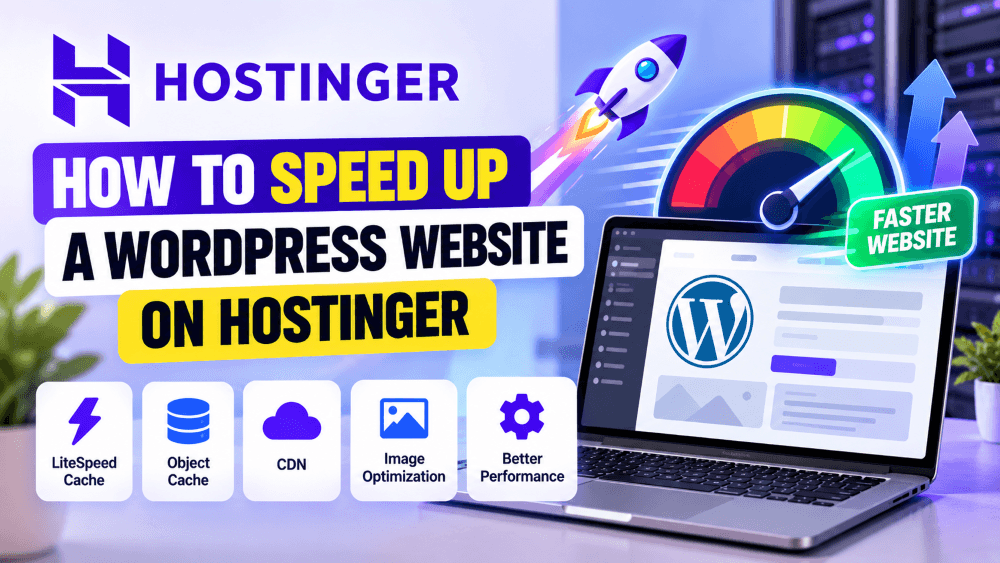
Before trying to speed up WordPress on Hostinger, it’s important to understand what you’re actually trying to improve.
Website speed isn’t simply about getting a 100/100 score in PageSpeed Insights. What matters more is how quickly the important content appears, how quickly the page responds when someone interacts with it, and whether the layout stays stable while loading.
Google’s Core Web Vitals currently focus on three important measurements: LCP, INP, and CLS.
For a good user experience, Google recommends an LCP of 2.5 seconds or less, an INP below 200 milliseconds, and a CLS score below 0.1.
These numbers are useful targets, but don’t treat them as the only measure of website quality.
Test Your Website Before Making Changes
The first step to speed up WordPress on Hostinger is to test the website before changing anything.
Use tools such as Google PageSpeed Insights, Google Search Console, Lighthouse, or GTmetrix.
Don’t test only the homepage.
Check your homepage, important service pages, popular blog posts, product pages, and landing pages. A website can have a fast homepage while a large blog post or ecommerce page performs poorly.
Also run the test more than once.
Caching can affect the first request, so a single test isn’t always representative of the experience your visitors receive. Hostinger itself recommends testing multiple times when evaluating LiteSpeed Cache settings.
One of the biggest advantages of using Hostinger for WordPress is its LiteSpeed-based hosting environment.
Hostinger says its current WordPress hosting uses LiteSpeed and includes WordPress optimization features such as LiteSpeed Cache and Object Cache on eligible plans.
If you’re trying to speed up WordPress on Hostinger, this should be one of the first things you check.
You can find the LiteSpeed option inside your Hostinger WordPress dashboard. Hostinger’s current documentation also provides optimization profiles that allow you to apply pre-configured LiteSpeed settings.
2. Use LiteSpeed Cache Properly
Hostinger currently provides the LiteSpeed Cache plugin pre-installed with its hosting accounts.
That means you generally don’t need to search for another caching plugin immediately after setting up WordPress.
LiteSpeed Cache can handle several optimization functions, including page caching, browser caching, CSS and JavaScript optimization, image optimization, and integration with CDN services.
The most important thing is to configure it carefully.
Hostinger currently provides three LiteSpeed optimization profiles:
Basic
Advanced
Aggressive
Hostinger describes Advanced as the recommended profile for all website types, while Aggressive applies more advanced optimizations.
If you’re working on a production website, I wouldn’t immediately switch everything to the most aggressive settings.
Apply the settings, clear the cache, and test your website after each major change.
3. Enable Page Caching
Page caching is one of the easiest ways to speed up WordPress on Hostinger.
Without caching, WordPress may need to process PHP code and database queries every time a visitor requests a page.
With caching enabled, a previously generated version of the page can be served instead, reducing the amount of work required from the server.
Hostinger currently recommends keeping the main Enable Cache setting switched on in LiteSpeed Cache.
Caching is particularly useful for pages that don’t change every few seconds.
A blog post, service page, About page, or standard landing page can often benefit significantly from caching.
4. Don’t Use Multiple Cache Plugins
One of the easiest ways to create problems while trying to speed up WordPress on Hostinger is to install several caching plugins.
For example, you might already have LiteSpeed Cache and then install another plugin because someone recommended it in a YouTube video.
That can create conflicts.
Two different plugins may try to control the same caching, minification, JavaScript, CSS, or optimization functions.
Hostinger’s current Cache Manager documentation recommends using only one cache plugin at a time for WordPress.
If you’re using LiteSpeed Cache, configure it properly before installing another optimization plugin.
5. Enable Object Cache If Your Plan Supports It
Object Cache works differently from normal page caching.
Instead of storing an entire webpage, it stores frequently accessed database information in memory. This can reduce repeated database queries and help WordPress retrieve information more efficiently.
Hostinger currently offers LiteSpeed Memcached Object Cache on eligible plans. Its documentation says Object Cache reduces database load by storing frequently accessed information in memory.
You can check your Hostinger dashboard to see whether the feature is available for your plan.
This can be particularly useful for websites with more dynamic content, such as WooCommerce stores, membership websites, or larger WordPress websites.
6. Optimize Your Images
Large images are one of the most common reasons WordPress websites become slow.
You might have excellent hosting and caching, but a page containing several 2 MB images can still take a long time to load.
Before uploading an image, resize it to something close to the dimensions you actually need.
There’s little benefit in uploading a 5000-pixel-wide photograph when your website displays it at 1200 pixels.
Also consider modern formats such as WebP where appropriate.
Hostinger’s current LiteSpeed optimization tools include image optimization and resizing features.
7. Don’t Over-Optimize Images
Image compression is useful, but don’t reduce image quality to the point where your website looks unprofessional.
For a business website, product website, or photography portfolio, image quality still matters.
The goal is to find the balance between visual quality and file size.
A properly compressed 150–300 KB image can often look virtually identical to a much larger original image while requiring considerably less data to download.
8. Optimize Your Largest Image First
If you want to speed up WordPress on Hostinger, don’t spend all your time optimizing tiny images at the bottom of the page.
Start with the largest important element visible when the page loads.
This is often the hero image or main banner.
A huge hero image can directly affect Largest Contentful Paint, one of Google’s Core Web Vitals.
Make sure the image is correctly sized, compressed, and delivered efficiently.
At the same time, don’t blindly lazy-load the main LCP image. The browser needs to discover and load important above-the-fold content quickly.
9. Use a CDN
A Content Delivery Network can help deliver your website’s static resources from locations closer to your visitors.
This becomes particularly useful when your visitors are spread across different cities or countries.
Hostinger currently provides its own CDN on eligible plans. Its documentation says the CDN can cache website content and work together with LiteSpeed Cache.
If you’re using Hostinger CDN, remember that there can be multiple caching layers involved.
Your WordPress cache, Hostinger CDN, browser cache, and other services can all have different cached versions.
That’s why clearing the correct cache is important when making website changes.
10. Clear Your Cache After Major Changes
Sometimes your website isn’t actually slow or broken.
You’re simply looking at an old cached version.
Hostinger currently allows WordPress users to flush the cache from the WordPress section of the hosting dashboard.
You should consider clearing the relevant cache after making major changes to:
CSS
JavaScript
Images
Page layouts
WordPress themes
Important plugins
CDN configuration
After clearing the cache, test the page again in an incognito window.
11. Remove Unnecessary WordPress Plugins
Plugins add functionality to WordPress, but every additional plugin can potentially add scripts, styles, database queries, or background processes.
That doesn’t mean you should avoid plugins.
Instead, remove plugins that you don’t actually need.
Go through your WordPress dashboard and look for plugins that are:
No longer being used
Replaced by another plugin
Duplicating functionality
Loading unnecessary scripts
Abandoned or outdated
Keeping your plugin collection under control is one of the simplest ways to keep WordPress manageable.
12. Avoid Duplicate Optimization Plugins
This deserves separate attention because it’s very common.
You may have LiteSpeed Cache handling caching and optimization, another plugin handling image compression, a third plugin handling database cleanup, and another plugin trying to optimize JavaScript.
Some of these combinations can work.
But adding plugins without understanding what each one does can create conflicts.
Before installing a new optimization plugin, check whether LiteSpeed Cache or Hostinger already provides the same functionality.
This is especially important when trying to speed up WordPress on Hostinger, because Hostinger’s current ecosystem already includes several performance features.
13. Be Careful With Elementor
If you’re using Elementor, your page builder can have a noticeable effect on page weight.
This doesn’t mean Elementor is automatically slow.
The problem is usually how the builder is used.
A page containing dozens of nested containers, animations, sliders, widgets, background videos, popups, and third-party elements will generally require more browser processing than a simple page.
Try to keep your important pages reasonably clean.
Use animations when they add something to the design, rather than adding them simply because the option exists.
14. Reduce Heavy JavaScript
JavaScript allows your website to do useful things, but excessive JavaScript can delay interaction.
Look at the scripts being loaded by:
Analytics
Advertising
Chat widgets
Social media
Popups
Booking tools
Forms
Marketing automation
Tracking platforms
You don’t necessarily need to remove these tools.
Instead, identify which ones are actually contributing to your business.
If three different tools are performing similar functions, consider whether you really need all three.
15. Optimize CSS
Your website’s CSS controls its visual appearance, but large amounts of unused CSS can increase the amount of work the browser has to perform.
LiteSpeed Cache provides CSS optimization options, including minification.
Minification removes unnecessary characters from files and can reduce their size.
However, CSS optimization can occasionally cause visual problems.
After changing CSS optimization settings, check:
Homepage
Mobile menu
Buttons
Forms
Blog posts
Header
Footer
Elementor sections
Don’t assume the website is working correctly just because the homepage looks fine.
16. Be Careful With JavaScript Delay
JavaScript delay can improve initial loading by postponing non-critical scripts.
But it can also break interactive elements.
For example, you might discover that:
A popup no longer opens.
A form doesn’t submit.
A menu stops working.
A tracking script doesn’t fire.
An Elementor widget behaves incorrectly.
If you enable aggressive JavaScript optimization, test the website thoroughly.
The goal is to speed up WordPress on Hostinger without breaking the website that you’re trying to improve.
17. Optimize Your Fonts
Fonts are often overlooked.
If your website loads several font families and many different font weights, the browser has to download additional files.
For most business websites, one or two font families are usually enough.
You can also reduce unnecessary font weights.
For example, if you’re only using regular and bold text, there’s little reason to load ten different font variations.
18. Avoid Heavy Video Backgrounds
Video backgrounds can look impressive, but they can also create a significant performance cost.
This is particularly important on mobile devices.
If you have a large video playing automatically in the hero section, consider replacing it with a static image or a lightweight video preview.
You can still use video elsewhere on the website.
Just make sure the first thing visitors see isn’t forcing their browser to download and process a large video file before they can interact with the page.
19. Lazy Load Images Below the Fold
Visitors don’t need to download every image on a long webpage immediately.
Images further down the page can often be lazy-loaded so that they are requested closer to the point where the visitor needs them.
This reduces the amount of content the browser needs to process during the initial page load.
However, don’t blindly lazy-load everything.
Important above-the-fold images, especially your main LCP element, should generally be available as quickly as possible.
20. Reduce Third-Party Scripts
Third-party scripts are another common source of unnecessary page weight.
A marketing website may have:
Google Analytics
Google Tag Manager
Meta Pixel
WhatsApp widget
Facebook widgets
Chat software
Heatmap tools
YouTube embeds
Advertising scripts
Some of these are important.
But every script adds work for the browser.
Review your website periodically and remove tracking or marketing tools that you’re no longer using.
This can be particularly helpful for websites that have accumulated plugins and marketing integrations over several years.
21. Optimize YouTube Embeds
YouTube videos are useful for blogs and landing pages, but a normal embedded YouTube player can load a significant amount of additional code.
If you’re using several videos on one page, consider using a thumbnail or lightweight video-loading technique that loads the actual player only when the visitor interacts with it.
This is particularly useful for long-form blog posts containing multiple video embeds.
22. Keep WordPress and Plugins Updated
Keeping WordPress updated is important for security and compatibility, but updates can also contain performance improvements.
Keep your:
WordPress core
Plugins
Theme
WooCommerce
PHP version
reasonably up to date.
Before major updates, make sure you have a working backup.
If you use managed WordPress hosting, some updates and WordPress management features may be handled through the hosting environment. Hostinger currently promotes automated WordPress updates and related management tools on its WordPress hosting products.
23. Use a Supported PHP Version
WordPress runs on PHP, so the PHP version used by your hosting environment can affect both compatibility and performance.
Using a very old PHP version isn’t a good long-term strategy.
At the same time, don’t switch to the newest available version on a production website without checking whether your theme and plugins support it.
Make the change carefully and test the website afterward.
24. Clean Up Your WordPress Database
As a website grows, the WordPress database can accumulate unnecessary information.
This may include:
Old post revisions
Auto drafts
Spam comments
Trashed content
Expired transients
Unused metadata
Database cleanup can help keep a large WordPress installation manageable.
But don’t blindly delete database tables or run aggressive cleanup tools.
Always create a backup first, especially if you’re running WooCommerce, membership functionality, or other database-heavy plugins.
25. Check Your Hosting Resource Usage
If you’ve optimized your website but it still becomes slow during busy periods, check your hosting resource usage.
The problem may not be your images or CSS.
Your website could simply be reaching the limits of its current hosting environment.
Look for signs such as:
High CPU usage
Memory limitations
Slow database queries
Resource spikes
PHP worker limitations
Traffic-related slowdowns
If your website consistently reaches its limits, upgrading the hosting environment may make more sense than continuing to optimize individual files.
If you’re considering the different hosting levels, our Hostinger pricing 2026 guide explains the current plans and renewal costs.
26. Don’t Upgrade to VPS Too Quickly
A VPS can provide more resources and control, but it isn’t automatically the solution to a slow WordPress website.
First identify why the website is slow.
If the problem is a 5 MB hero image, moving to a VPS won’t fix the underlying issue.
If the problem is excessive plugins, upgrading hosting doesn’t eliminate those plugins.
If the website is genuinely reaching its resource limits, however, a more powerful hosting environment may help.
Our Hostinger VPS vs shared hosting guide explains when moving to VPS makes sense and when shared hosting is still sufficient.
27. Consider Cloud Hosting for a Growing Website
If your website has outgrown normal shared hosting but you don’t necessarily want to manage a VPS yourself, cloud hosting can be another option.
Hostinger’s current cloud hosting environment includes features such as LiteSpeed, CDN, ObjectCache, NVMe storage, and managed WordPress tools.
This can be relevant for growing ecommerce stores, agencies, and websites experiencing higher traffic.
We’ve covered the subject in more detail in our Hostinger cloud hosting review.
28. Don’t Forget About Renewal Costs
Performance isn’t the only thing to consider when choosing hosting.
Your hosting plan is part of your website’s long-term operating cost.
Promotional hosting prices can be considerably lower than renewal prices, so check the cost before committing to a plan.
Our Hostinger renewal price guide explains what happens when the initial promotional period ends and how the renewal costs compare between plans.
This is especially important for businesses that expect to keep their website online for several years.
29. Check Your Website on Mobile
A website can look extremely fast on your desktop computer and still perform poorly on a mobile phone.
Test important pages using mobile performance testing.
Pay attention to:
Hero image loading
Menu responsiveness
Button interaction
Font loading
Layout shifts
Popups
Forms
Sticky elements
Mobile users may also have slower network connections and less powerful devices than your development computer.
So don’t optimize only for your own desktop browser.
30. Don’t Chase a Perfect PageSpeed Score
This is perhaps the most important point.
You can spend hours trying to move a PageSpeed score from 92 to 98 while your actual website visitors notice almost no difference.
At the same time, fixing a huge hero image, removing unnecessary scripts, or improving caching can make a meaningful difference even if the score doesn’t reach 100.
Google’s Core Web Vitals are useful because they focus on real aspects of user experience, but Google doesn’t say that achieving a perfect score guarantees better rankings.
Focus on a fast, stable, usable website first.
How to Speed Up WordPress on Hostinger: Recommended Setup
For a typical WordPress website hosted on Hostinger, I’d start with a relatively simple setup.
Hosting
Choose a Hostinger plan appropriate for your traffic and resource requirements.
Don’t upgrade to VPS just because it has more RAM and CPU.
Caching
Use LiteSpeed Cache and enable page caching.
Hostinger currently provides LiteSpeed Cache with its hosting environment and provides optimization profiles for easier configuration.
Object Cache
If your plan supports Object Cache, enable it.
This can reduce repeated database queries and is particularly useful for more dynamic websites.
Images
Resize, compress, and properly format your images.
Pay particular attention to the main hero image because it can affect LCP.
CDN
Use Hostinger CDN if it’s available on your plan and useful for your visitors.
Remember that CDN caching and WordPress caching are separate layers, so purge the appropriate cache when making changes.
Plugins
Keep only the plugins you actually need.
Avoid multiple plugins that perform the same optimization function.
Elementor
Keep your layouts reasonably simple.
Avoid unnecessary animations, widgets, sliders, and video backgrounds.
JavaScript
Minify and optimize JavaScript carefully.
Test menus, forms, popups, tracking, and other interactive features after making changes.
Database
Clean unnecessary database data periodically, but always keep a backup before making major database changes.
How to Speed Up WordPress on Hostinger Without Breaking Your Website
The biggest mistake is changing everything at once.
If you enable aggressive caching, JavaScript delay, CSS optimization, image compression, CDN caching, database cleanup, and several other settings simultaneously, you won’t know which change caused a problem.
Instead, use this process:
Test → Change → Clear Cache → Test Again.
Start with caching.
Then optimize your images.
Then check Object Cache.
Then look at your CDN.
After that, investigate plugins, JavaScript, CSS, fonts, and third-party scripts.
This makes troubleshooting much easier.
Hostinger’s current LiteSpeed documentation also provides a configuration change log and allows you to restore previous optimization settings if needed.
A Simple WordPress Speed Checklist
If you want to speed up WordPress on Hostinger without spending an entire day on optimization, start with this checklist:
Test the website with PageSpeed Insights.
Check Core Web Vitals in Search Console.
Confirm LiteSpeed is enabled.
Configure LiteSpeed Cache.
Enable Object Cache if available.
Compress large images.
Use WebP where appropriate.
Enable CDN if available.
Remove unnecessary plugins.
Avoid duplicate optimization plugins.
Optimize the main hero image.
Reduce unnecessary JavaScript.
Limit font families and weights.
Reduce heavy animations.
Avoid unnecessary video backgrounds.
Keep WordPress and plugins updated.
Check PHP compatibility.
Clean unnecessary database data.
Review hosting resource usage.
Test the website on mobile.
You don’t need to do all of these at the same time.
Start with the biggest problems shown in your performance report and work through them one by one.
Frequently Asked Questions
How do I speed up WordPress on Hostinger?
Start with LiteSpeed Cache, page caching, image optimization, Object Cache if available, CDN, plugin cleanup, and careful CSS and JavaScript optimization. Then test the website again rather than assuming the changes worked.
Does Hostinger use LiteSpeed for WordPress?
Yes. Hostinger currently uses LiteSpeed technology for its WordPress hosting environment and provides LiteSpeed Cache optimization features.
Is LiteSpeed Cache free?
The LiteSpeed Cache WordPress plugin is available without a separate plugin license, and Hostinger currently provides it pre-installed with its hosting accounts.
Should I use another caching plugin with LiteSpeed Cache?
Generally, no. Hostinger’s current documentation recommends using only one cache plugin at a time for WordPress to avoid conflicts.
Does Object Cache make WordPress faster?
Object Cache can reduce repeated database queries by storing frequently accessed information in memory. Hostinger provides the feature on eligible hosting plans.
Does Hostinger have a CDN?
Yes. Hostinger currently provides CDN functionality on eligible plans, and its CDN can work alongside LiteSpeed Cache.
Should I upgrade my Hostinger plan if my WordPress website is slow?
Not immediately. First identify whether the problem comes from images, plugins, caching, scripts, or other website-level issues. If your website is consistently reaching its hosting resource limits, then upgrading may be appropriate.
Will VPS automatically make my WordPress website faster?
Not necessarily. A VPS provides more resources and control, but it won’t automatically fix poorly optimized images, plugins, themes, JavaScript, or database queries.
What is a good Core Web Vitals score?
Google recommends LCP of 2.5 seconds or less, INP below 200 milliseconds, and CLS below 0.1 for a good user experience.
Does a 100 PageSpeed score guarantee better Google rankings?
No. PageSpeed and Core Web Vitals are useful indicators of performance and user experience, but Google does not say that a perfect score guarantees higher rankings.
Final Thoughts
You don’t need to rebuild your entire website to make WordPress faster.
In many cases, the biggest improvements come from a few fundamentals: proper caching, optimized images, fewer unnecessary plugins, sensible JavaScript and CSS settings, CDN delivery, and keeping WordPress itself properly maintained.
Hostinger already provides several tools that can help, including LiteSpeed Cache, Object Cache on eligible plans, and CDN functionality.
The important part is using those tools correctly.
If you’ve optimized the website and you’re still consistently hitting hosting resource limits, then it’s worth looking at a higher hosting tier.
Otherwise, don’t pay for more server resources when the real problem is an oversized image or a badly configured plugin.
Test first, optimize the biggest problems, and measure the result.
Check Hostinger’s Current Plans
If your WordPress website is still struggling after optimization, you can compare Hostinger’s current hosting plans and available resources.
Digital marketer and founder of SuperBuzz Media, with hands-on experience in performance marketing, lead generation, WordPress, AI automation, and digital marketing tools. I share practical insights, real-world experiences, and tool reviews to help businesses make smarter digital decisions.
If you’re looking for affordable web hosting in India in 2026, Hostinger is almost impossible to ignore.
It offers inexpensive entry-level hosting, WordPress support, AI-powered website-building tools, free SSL, backups, a CDN, email options, and 24/7 support. Its current India plans start at ₹69/month on a 48-month term, while higher plans go up to ₹599/month for Cloud Startup.
But there’s an important catch.
The price you see advertised initially is not necessarily the price you’ll pay when the plan renews.
So, is Hostinger actually worth it in 2026?
For most beginners, bloggers, freelancers, small businesses and smaller websites, yes — but you need to choose the right plan and understand the renewal pricing before buying.
This Hostinger review looks at the current plans, performance, WordPress experience, AI tools, security, support, pricing and the situations where Hostinger may not be the best choice.
What Is Hostinger?
Hostinger is a web hosting company that provides hosting, domains, WordPress hosting, website-building tools, business email and related website services.
Instead of buying hosting, a domain, security tools and other website infrastructure from several different companies, you can get many of those services through one platform.
Hostinger currently positions its hosting around several ways of building websites, including:
WordPress
AI website building
Drag-and-drop website building
Node.js
Ecommerce websites
Custom-coded websites
That makes it particularly attractive to people who don’t want to deal with complicated server configuration.
Hostinger Pricing in India in 2026
Hostinger’s current India web-hosting page lists four major plans:
Plan
Current advertised price*
Renewal price
Websites
Storage
Single
₹69/mo
₹289/mo
1
10 GB SSD
Premium
₹149/mo
₹449/mo
3
20 GB SSD
Unlimited
₹249/mo
₹649/mo
Unlimited
50 GB NVMe
Cloud Startup
₹599/mo
₹1,599/mo
Unlimited
100 GB NVMe
*These advertised monthly prices are based on a 48-month term and are paid upfront for the selected term.
And this is one of the most important things to understand about Hostinger:
The introductory price isn’t the long-term price.
For example, the Single plan is currently advertised at ₹69/month, but its renewal price is ₹289/month.
Premium is advertised at ₹149/month and renews at ₹449/month.
Unlimited is advertised at ₹249/month and renews at ₹649/month.
Cloud Startup is advertised at ₹599/month and renews at ₹1,599/month.
That doesn’t necessarily make Hostinger expensive.
It simply means you should compare the renewal price, not just the promotional price.
If you’ve decided Hostinger is suitable for your website, you can check the current plans and offers here:
The Single plan is designed for one website and currently includes 10 GB of SSD storage, weekly backups, a CDN, AI tools and WordPress support.
It’s suitable for:
Personal websites
Small blogs
Portfolios
Simple business websites
Landing pages
First websites
However, I wouldn’t automatically recommend it just because it is the cheapest.
If you’re building a business website that you expect to keep for several years, the limitations may make the Premium plan more attractive.
2. Hostinger Premium — The Plan I’d Pick for Most Small Businesses
Premium supports up to three websites and currently includes 20 GB of SSD storage, weekly backups, a free domain for one year, CDN, AI tools and WordPress support.
For many users, this is the sweet spot.
It’s particularly suitable for:
Small businesses
Freelancers
Agencies
Professional portfolios
Blogs
Service businesses
Multiple small websites
If you are starting a business website and don’t want to immediately worry about upgrading, Premium is the Hostinger plan I’d consider first.
3. Hostinger Unlimited — Better for Multiple Websites
The Unlimited plan is designed for people who need more flexibility.
It currently supports unlimited websites, offers 50 GB of NVMe storage, daily backups, CDN, ecommerce functionality and additional AI tools.
This makes more sense for:
Web designers
Freelancers managing several websites
Small agencies
Entrepreneurs running multiple projects
Businesses with several websites
The important distinction isn’t simply “Unlimited is faster.”
The bigger advantage is capacity and flexibility.
4. Cloud Startup — For Larger or Growing Websites
Cloud Startup moves beyond basic shared hosting and is positioned for agencies, higher-traffic projects and businesses requiring more resources.
The current India offering includes 100 GB of NVMe storage, daily and on-demand backups, unlimited websites, CDN and priority support.
You don’t need this plan simply because you want a “better” website.
For a normal company website receiving modest traffic, Premium or Unlimited is usually enough.
Cloud hosting becomes more relevant when your website’s traffic, resource requirements or business importance justify the additional cost.
Is Hostinger Fast?
Performance is one of the most important questions when choosing hosting.
And the answer isn’t simply “Hostinger is fast.”
Performance depends on the hosting plan, website, plugins, theme, images, caching, database queries, traffic and server configuration.
However, independent 2026 testing from TechRadar found a Hostinger test site achieving 99.96% uptime over 10 weeks. Its average response time over the reported seven-day period was 382 ms, while its page-load test reached 878 ms and placed the result in the top 25% of providers tested in that particular test.
That’s a good sign.
But it doesn’t mean every Hostinger website will automatically load in under a second.
A poorly optimized WordPress website with:
40 plugins
huge images
badly written code
unnecessary animations
no caching
heavy page builders
can still be slow on good hosting.
Hosting is only one part of website performance.
Is Hostinger Good for WordPress?
Yes.
WordPress is one of Hostinger’s major use cases, and Hostinger provides managed WordPress hosting options with features such as automatic updates, backups, WP-CLI, SSH, Git integration and PHP version control.
Hostinger also promotes LiteSpeed-based performance features, caching and code minification for WordPress sites.
For someone launching:
A company website
Blog
Portfolio
Service website
Small ecommerce store
Content website
Hostinger + WordPress can be a practical combination.
It is particularly attractive if you want control over your website without having to manage a server yourself.
Hostinger AI Website Builder in 2026
This is one area where Hostinger has evolved significantly.
Hostinger is no longer positioning itself simply as a traditional hosting company.
Its current AI website-building ecosystem includes AI-generated websites, AI content tools, AI images, AI SEO functionality and AI-assisted website/app creation.
Its newer AI Builder experience can work through both visual editing and conversational/agentic workflows.
You can describe what you want to build and then use AI to modify the website.
Hostinger also says its AI Builder can work with things such as ecommerce websites, booking systems, membership websites, portfolios and interactive web applications.
Is this a replacement for a professional web designer?
Not necessarily.
AI can dramatically speed up the initial creation process, but professional websites still require:
Good branding
UX decisions
Conversion optimization
SEO strategy
Custom functionality
Content strategy
Performance optimization
Ongoing maintenance
So I’d view Hostinger’s AI tools as productivity tools rather than a complete replacement for professional web development.
Hostinger Security
Hostinger includes several security-related features within its hosting plans, including SSL, backups and CDN functionality.
Depending on the plan, backups are either weekly or daily.
For example, the current Unlimited plan includes daily backups and easy data restoration, while Single and Premium list weekly backups.
That’s important because backups shouldn’t be treated as an optional extra for a business website.
Still, don’t make the mistake of thinking that hosting security eliminates the need for website security.
If you’re using WordPress, you should still:
Keep WordPress updated
Update plugins and themes
Use strong passwords
Limit unnecessary plugins
Use reputable plugins
Maintain independent backups for important websites
Hostinger Customer Support
Hostinger provides 24/7 customer support, and higher-tier plans include priority support.
This matters more than many beginners realize.
When a website goes down, a DNS record stops working or an SSL certificate causes problems, having access to support can save hours of troubleshooting.
That doesn’t mean every support interaction will be perfect.
But 24/7 availability is useful, especially for people who aren’t comfortable managing hosting infrastructure themselves.
Hostinger’s Biggest Advantage: Simplicity
One of Hostinger’s strongest selling points is that it combines many website services in one ecosystem.
You can manage:
Hosting
Domains
WordPress
Website building
AI tools
Email
SSL
Backups
CDN
Ecommerce
from the same platform.
For a beginner, this is a big advantage.
You don’t necessarily need to understand how DNS, server configuration, SSL installation and hosting infrastructure work before launching your first website.
Hostinger’s Biggest Disadvantage: Renewal Pricing
This is the part I don’t think buyers should ignore.
That doesn’t mean the introductory pricing is misleading.
The renewal prices are displayed by Hostinger.
But if you’re comparing hosting companies, look at the cost over the period you actually intend to use the service.
A cheap first term shouldn’t be the only factor in your decision.
Is Hostinger Worth It for a Small Business?
For most small businesses, yes.
If you’re building a normal:
Real estate website
Restaurant website
Agency website
Consultant website
Local business website
Service business website
Portfolio
Blog
you probably don’t need expensive enterprise hosting.
Hostinger provides enough infrastructure and features for this category of website.
The bigger factors will often be the quality of the website itself, content, SEO, conversion optimization and ongoing maintenance.
Is Hostinger Good for Ecommerce?
Hostinger supports ecommerce functionality on its current hosting plans, and its higher plans include additional ecommerce and AI-assisted store-management features.
For a small online store, this can be attractive.
But ecommerce requirements vary considerably.
A small catalogue with relatively low traffic is very different from a large store with:
Thousands of products
Heavy traffic
Complex integrations
Large databases
Advanced checkout requirements
High transaction volume
For a serious high-traffic ecommerce operation, you should evaluate hosting based on actual resource requirements rather than simply choosing the cheapest plan.
Hostinger Pros and Cons
Pros
Affordable introductory pricing
Hostinger’s entry-level plans are inexpensive compared with many traditional hosting providers.
Beginner-friendly
The platform is designed to reduce the technical complexity of launching websites.
WordPress support
Hostinger provides dedicated WordPress hosting features and developer tools.
AI tools
Its AI ecosystem has become a significant part of the platform in 2026.
Free SSL and CDN
These are included with current hosting plans.
Backups
Backup frequency depends on the plan, with daily backups on higher tiers.
24/7 support
Useful for beginners and businesses that don’t want to manage infrastructure themselves.
30-day money-back guarantee
Hostinger currently advertises a 30-day money-back guarantee.
Cons
Renewal prices are much higher
This is the biggest thing buyers should understand.
The attractive monthly rates are based on longer-term plans rather than simply paying month-to-month at that rate.
Entry-level plans have limitations
The cheapest plan isn’t necessarily the best choice for a growing business.
Performance still depends on your website
Good hosting cannot compensate for a badly optimized website.
Some advanced functionality requires higher plans
Some advanced functionality requires higher plans
Who Should Buy Hostinger?
Hostinger makes sense if you are:
Building your first website
Running a small business
Starting a blog
Creating a portfolio
Running a small ecommerce site
Building websites for clients
Looking for affordable WordPress hosting
Interested in AI-assisted website building
Comfortable paying for a longer initial hosting term
Who Should Probably Look Elsewhere?
Hostinger may not be the ideal choice if you need:
Highly specialized enterprise infrastructure
Extremely predictable dedicated resources
Advanced server-level customization
Large-scale infrastructure from day one
Specialized managed hosting support
Very high-traffic ecommerce infrastructure
In those situations, VPS, cloud infrastructure or specialized managed hosting may make more sense.
Which Hostinger Plan Would I Choose?
For most people, my choice would be:
Personal website or simple blog
Single
Small business website
Premium
Freelancer or agency managing several websites
Unlimited
Growing/high-traffic website
Cloud Startup
The important thing is not to buy the most expensive plan simply because it has better specifications.
Buy based on what your website actually needs.
Is Hostinger Worth It in 2026?
Yes — with one major condition: understand what you’re buying after the introductory period.
Hostinger’s current combination of affordable entry pricing, WordPress support, AI tools, website-building functionality, CDN, backups and 24/7 support makes it a strong option for beginners and small businesses.
Independent testing also suggests that its performance is competitive, although actual results will vary depending on the website and configuration.
The biggest reason not to buy Hostinger isn’t necessarily performance or features.
It’s simply that the renewal price is considerably higher than the introductory price.
If you understand that before purchasing, Hostinger can be a very reasonable hosting choice.
Our verdict: 8.5/10
Best for: Beginners, freelancers, small businesses, bloggers and agencies.
Best value for most small businesses:Premium
Best for multiple websites:Unlimited
Best for more demanding projects:Cloud Startup
Biggest thing to watch: Renewal pricing.
Frequently Asked Questions
Is Hostinger good in 2026?
Yes. Hostinger remains a strong option for beginners, WordPress websites, small businesses, blogs and many small ecommerce projects. Its current platform combines hosting with website-building, AI and business tools.
Is Hostinger good for WordPress?
Yes. Hostinger offers WordPress hosting with automatic updates, backups, caching/performance features and developer tools such as WP-CLI, SSH and Git integration on its hosting platform.
How much does Hostinger cost in India?
The current advertised 48-month rates start at ₹69/month for Single, ₹149/month for Premium, ₹249/month for Unlimited and ₹599/month for Cloud Startup. Renewal prices are higher.
Is Hostinger really ₹69 per month?
The current ₹69/month Single price is based on a 48-month plan paid upfront. The plan currently renews at ₹289/month.
Does Hostinger offer a money-back guarantee?
Yes. Hostinger currently advertises a 30-day money-back guarantee.
Does Hostinger include a free domain?
Eligible Hostinger plans currently include a free domain for one year. The exact eligibility depends on the plan and offer.
Is Hostinger good for a small business?
Yes. Premium is particularly worth considering for a small business because it supports up to three websites and includes features such as a free domain for one year, backups, CDN, AI tools and WordPress support.
Is Hostinger better than expensive hosting?
Not automatically.
For a small website, paying substantially more for hosting doesn’t necessarily produce a better business result. What matters is whether the hosting provides sufficient resources, reliability, support and features for your website.
Final Verdict
Hostinger isn’t perfect.
Its biggest weakness is obvious: the renewal price is significantly higher than the introductory price.
But that doesn’t make it a bad hosting provider.
For someone in India launching a website in 2026, Hostinger offers a compelling combination of affordability, WordPress support, AI tools, website-building functionality, backups, CDN, SSL and customer support.
If you’re building a normal small-business website, blog, portfolio or relatively small online store, Hostinger is absolutely worth considering.
Just don’t choose it because you saw ₹69/month and stopped reading.
Choose the plan based on your actual requirements, calculate the renewal cost, and then decide.
Affiliate Disclosure
This article contains affiliate links. If you purchase Hostinger through our referral link, SuperBuzz Media may earn a commission at no additional cost to you. Our recommendations are based on the features, pricing and suitability of the service, not solely on the possibility of earning a commission.
Hostinger
If you’ve decided Hostinger is suitable for your website, you can check the current plans and offers here:
Digital marketer and founder of SuperBuzz Media, with hands-on experience in performance marketing, lead generation, WordPress, AI automation, and digital marketing tools. I share practical insights, real-world experiences, and tool reviews to help businesses make smarter digital decisions.