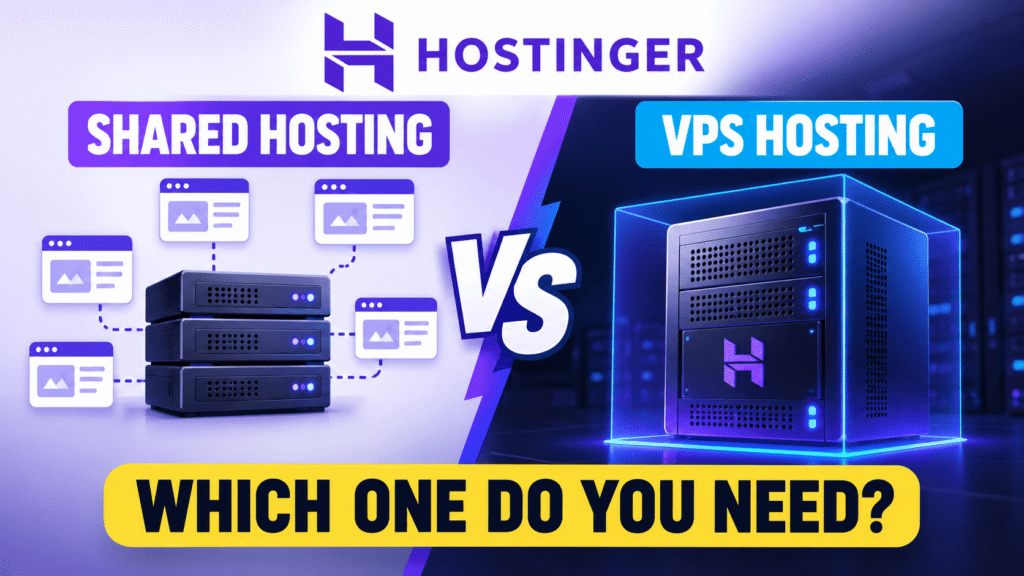
If you’re deciding between Hostinger VPS vs shared hosting, the choice isn’t simply about which one is more powerful. It depends on your website, traffic, technical requirements, budget, and how much control you actually need.
Shared hosting is designed to keep things simple and affordable. VPS hosting gives you more resources, flexibility, and server-level control. But paying more for a VPS doesn’t automatically make sense for every website.
In this guide, we’ll compare Hostinger VPS vs shared hosting based on pricing, performance, resources, control, maintenance, WordPress, ecommerce, scalability, and technical requirements.
By the end, you’ll have a much clearer idea of which hosting environment fits your website.
Hostinger VPS vs Shared Hosting: What’s the Difference?
The simplest way to understand Hostinger VPS vs shared hosting is to look at how server resources are provided.
With shared hosting, your website runs on a server that hosts other websites. Resources are shared across the hosting environment, while Hostinger manages the underlying server.
With VPS hosting, your website runs inside an isolated virtual server environment with allocated resources such as CPU, RAM, and storage. You also get much greater control over the server.
Here’s the basic difference:
| Feature | Shared Hosting | VPS Hosting |
|---|---|---|
| Resources | Shared environment | Allocated VPS resources |
| CPU/RAM | Shared | Dedicated allocation |
| Root access | No | Yes |
| Server control | Limited | High |
| Technical knowledge | Low | Moderate to high |
| Maintenance | Mostly managed | More user responsibility |
| Scalability | Plan-based | More flexible |
| Price | Lower | Higher |
| Best for | Blogs and small websites | Apps, demanding websites and custom projects |
So when comparing Hostinger VPS vs shared hosting, don’t automatically choose the option with more specifications.
Choose the environment that matches your actual requirements.
What Is Hostinger Shared Hosting?
Before comparing Hostinger VPS vs shared hosting in detail, let’s understand shared hosting.
Shared hosting means multiple websites operate on the same physical server and share the server’s available resources.
The advantage is simplicity.
You don’t have to manage the operating system, configure a web server, maintain server software, or handle most server-level security tasks.
Hostinger currently describes its shared hosting as suitable for first websites, blogs, and small business websites with steady traffic.
The current Hostinger India shared hosting plans include:
| Plan | Promotional price | Renewal price | Websites |
|---|---|---|---|
| Single | ₹69/month | ₹289/month | 1 |
| Premium | ₹149/month | ₹449/month | 3 |
| Unlimited | ₹249/month | ₹649/month | Unlimited |
These prices are based on the current 48-month promotional terms displayed by Hostinger.
Shared hosting also includes features such as SSL, backups, CDN, WordPress support, AI tools, email, and website-building tools depending on the plan.
For someone comparing Hostinger VPS vs shared hosting for a normal website, these features may already be more than enough.
What Is Hostinger VPS Hosting?
A VPS, or Virtual Private Server, gives you an isolated virtual server environment.
Instead of simply operating inside a shared hosting environment, your VPS has an allocated amount of CPU, RAM, storage, and bandwidth.
Hostinger’s current VPS plans use KVM virtualization, AMD EPYC processors and NVMe storage. Hostinger also provides features such as weekly backups, firewall management, a 1 Gbps network, an AI web terminal and root-level server control.
Current Hostinger India VPS plans include:
| Plan | Promotional price | Renewal price | CPU | RAM | Storage |
|---|---|---|---|---|---|
| KVM 1 | ₹599/month | ₹999/month | 1 vCPU | 4 GB | 50 GB NVMe |
| KVM 2 | ₹799/month | ₹1,199/month | 2 vCPU | 8 GB | 100 GB NVMe |
| KVM 4 | ₹1,099/month | ₹2,399/month | 4 vCPU | 16 GB | 200 GB NVMe |
| KVM 8 | ₹2,199/month | ₹4,399/month | 8 vCPU | 32 GB | 400 GB NVMe |
Hostinger states that these VPS plans are paid upfront and that the displayed monthly figure represents the total plan price divided by the number of months.
This is an important part of the Hostinger VPS vs shared hosting comparison because the advertised monthly VPS price shouldn’t be interpreted as a normal month-to-month subscription.
Hostinger VPS vs Shared Hosting: Performance
Performance is one of the main reasons people consider moving from shared hosting to VPS hosting.
With shared hosting, multiple websites use the same server environment. The hosting provider manages the infrastructure, but the available resources are shared.
That doesn’t mean shared hosting is automatically slow.
A properly configured WordPress website with optimized images, caching, a lightweight theme, and sensible plugins can perform well on shared hosting.
The difference becomes more noticeable when a website has heavier workloads.
A VPS provides allocated CPU and RAM resources, which can make performance more predictable for demanding applications.
This is particularly relevant when looking at Hostinger VPS vs shared hosting for websites that receive large traffic spikes or perform resource-intensive operations.
However, hosting isn’t the only factor affecting website speed.
A slow website can also be caused by:
- Poorly optimized images
- Too many plugins
- Heavy WordPress themes
- Poor caching
- Large JavaScript files
- Slow third-party scripts
- Database problems
- Unoptimized code
So don’t assume that buying a VPS will automatically fix every performance problem.
Hostinger VPS vs Shared Hosting: Control
This is one of the biggest differences between the two.
Shared hosting is designed to be managed for you.
You can manage your website, domain, files, databases and applications, but you don’t have complete control over the underlying server.
VPS hosting gives you much more control.
Hostinger’s VPS environment provides root access, allowing you to configure the server, install software and customize the environment according to your project.
That makes VPS hosting useful for developers and businesses running custom applications.
For example, you may need a VPS if you’re running:
- Node.js applications
- APIs
- Docker containers
- n8n
- Custom applications
- Web applications
- Development environments
- Specialized server software
This is where Hostinger VPS vs shared hosting becomes less about website size and more about what the website actually needs to do.
Hostinger VPS vs Shared Hosting: Ease of Use
If ease of use is your priority, shared hosting has a major advantage.
With shared hosting, you can usually get a WordPress website online without dealing with SSH, Linux commands, server configuration or firewall rules.
Hostinger handles the server infrastructure.
That’s useful for:
- Bloggers
- Small businesses
- Freelancers
- Local businesses
- Portfolio websites
- Marketing websites
- Basic WordPress websites
VPS hosting requires more technical involvement.
Even though Hostinger provides tools to make VPS management easier, you are still responsible for more of the server environment.
This is an important consideration when choosing Hostinger VPS vs shared hosting.
More control also means more responsibility.
Hostinger VPS vs Shared Hosting for WordPress
WordPress users often wonder whether they should immediately choose a VPS.
In most cases, they don’t need to.
A typical business website with pages, blog posts, contact forms, images, analytics and marketing plugins can often start with shared hosting.
Hostinger’s shared hosting supports WordPress, and its current plans include WordPress among the supported website-building options.
If you haven’t already, you can also read our detailed Hostinger WordPress hosting review to understand how Hostinger’s WordPress environment compares with its other hosting options.
A VPS becomes more relevant when the WordPress website has a heavier workload.
For example:
- Large WooCommerce stores
- Membership websites
- Large product catalogs
- High-traffic publishing websites
- Complex WordPress applications
- Resource-heavy plugins
- Custom WordPress integrations
So when evaluating Hostinger VPS vs shared hosting for WordPress, start with the website’s actual resource requirements rather than simply choosing the more expensive option.
Hostinger VPS vs Shared Hosting for Ecommerce
Ecommerce websites can have significantly different hosting requirements from basic business websites.
A small online store with a few dozen products may work perfectly well on shared hosting.
As the store grows, however, the workload can increase.
You may have:
- More products
- More customers
- More orders
- More database queries
- More plugins
- More concurrent visitors
- Traffic spikes during promotions
That’s when VPS or cloud hosting can become more relevant.
When comparing Hostinger VPS vs shared hosting for WooCommerce, look at your actual resource usage.
If your website is regularly reaching CPU, RAM, or other resource limits, upgrading your hosting environment may make sense.
But if the website is slow because of poorly optimized images or plugins, changing hosting may not solve the underlying problem.
Hostinger VPS vs Shared Hosting: Scalability
Scalability is another important difference.
Shared hosting gives you a straightforward upgrade path within the available hosting plans.
You can move from a smaller plan to a larger plan when you need additional resources.
However, there are practical limits to how far you can scale within a shared environment.
VPS hosting gives you more flexibility because you can select a VPS with additional CPU, RAM and storage.
Hostinger currently offers VPS plans from 1 vCPU and 4 GB RAM to 8 vCPUs and 32 GB RAM.
Hostinger also states that you can start with a smaller VPS and upgrade to a higher-tier plan when you need more resources.
For growing applications, this can make Hostinger VPS vs shared hosting an important infrastructure decision.
Hostinger VPS vs Shared Hosting: Security
Both hosting types can be secure, but the responsibilities are different.
With shared hosting, the hosting provider manages the underlying server environment.
That means you don’t need to make as many server-level security decisions.
With VPS hosting, you have much greater control over the server.
That gives you more flexibility, but it also means you need to understand server security.
You may need to manage things such as:
- Firewall configuration
- Software updates
- User permissions
- SSH access
- Server configuration
- Application security
- Monitoring
Hostinger includes firewall management and weekly backups with its current VPS plans.
But having a VPS doesn’t mean security automatically takes care of itself.
If you don’t have the technical knowledge to manage a server properly, shared hosting can be easier to operate.
Hostinger VPS vs Shared Hosting: Which Is Cheaper?
Shared hosting is clearly the lower-cost starting point.
Hostinger’s current India shared hosting promotion starts at ₹69/month on the 48-month Single plan, while its entry VPS plan starts at ₹599/month on the currently listed term.
That means you shouldn’t compare these plans purely by specifications.
You’re paying for different types of hosting environments.
Shared hosting focuses on:
- Lower cost
- Simplicity
- Managed infrastructure
- Beginner-friendly setup
VPS focuses on:
- More control
- Allocated resources
- Root access
- Custom configurations
- Greater flexibility
So in the Hostinger VPS vs shared hosting comparison, the cheaper option isn’t necessarily lacking. It may simply be designed for a different type of customer.
When Should You Upgrade From Shared Hosting?
You don’t need to move to VPS simply because your website has been online for a year or because another website owner recommended it.
Look at actual symptoms.
Consider VPS hosting when:
- Your website regularly reaches resource limits.
- Traffic has increased significantly.
- Your website has heavy database activity.
- You’re running a large WooCommerce store.
- You need root access.
- You need custom server software.
- You’re running an application or API.
- Your website requires more predictable resources.
- Your current hosting environment is limiting your project.
This is probably the most practical way to approach Hostinger VPS vs shared hosting.
Don’t upgrade because VPS sounds more professional.
Upgrade when your website has a genuine requirement for it.
What About Hostinger Cloud Hosting?
There’s another option between traditional shared hosting and VPS that you should consider: cloud hosting.
Hostinger currently positions its Cloud Startup plan for agencies and high-traffic projects. The current plan is listed at ₹599/month on its 48-month promotional term, with 100 GB NVMe storage, unlimited websites, daily and on-demand backups, CDN and other features.
Cloud hosting can be interesting if you want more power than traditional shared hosting but prefer a managed environment.
We’ve already covered this in our Hostinger cloud hosting review.
For some growing businesses, the real decision may therefore be:
Shared hosting → Cloud hosting → VPS
rather than jumping directly from shared hosting to VPS.
Who Should Choose Shared Hosting?
Shared hosting makes sense if you’re:
- Starting your first website
- Building a personal blog
- Running a small business website
- Creating a portfolio
- Building a local business website
- Running a small WordPress site
- Working with a limited budget
- Looking for easy management
- Not interested in server administration
For these situations, shared hosting provides a simpler environment.
When comparing Hostinger VPS vs shared hosting, this is the point many beginners overlook: you don’t need to pay for resources or control that you won’t actually use.
Who Should Choose VPS Hosting?
VPS hosting becomes more relevant if you’re:
- Running a demanding web application
- Hosting APIs
- Running n8n or similar automation tools
- Managing a large ecommerce website
- Running custom software
- Building SaaS applications
- Requiring root access
- Needing custom server configurations
- Experiencing resource limitations
- Wanting greater control over the server
Hostinger specifically notes that its VPS plans can be used for applications such as n8n, with the KVM 2 plan providing 2 vCPU cores, 8 GB RAM and 100 GB NVMe storage.
For these use cases, Hostinger VPS vs shared hosting is a much more meaningful comparison than it is for a basic five-page business website.
Hostinger VPS vs Shared Hosting: Quick Comparison
| Requirement | Shared Hosting | VPS Hosting |
|---|---|---|
| Beginner website | Suitable | Usually unnecessary |
| Blog | Suitable | Depends on traffic |
| Small business | Suitable | Usually unnecessary initially |
| Portfolio | Suitable | Usually unnecessary |
| Small WooCommerce store | Can be suitable | Depends on workload |
| Large WooCommerce store | May need more resources | More suitable to consider |
| Custom application | Limited | Suitable |
| API hosting | Limited | Suitable |
| n8n automation | Limited depending on setup | Suitable |
| Root access | No | Yes |
| Server customization | Limited | High |
| Technical knowledge | Low | Moderate/high |
| Cost | Lower | Higher |
| Maintenance | Easier | More responsibility |
Hostinger VPS vs Shared Hosting: Which One Do You Need?
The simplest answer is this:
If you’re building a normal WordPress website, blog, portfolio, or small business website, shared hosting can be a sensible starting point.
If you’re building a custom application, large ecommerce website, API, SaaS project, automation server, or anything that needs root access, VPS hosting becomes much more relevant.
And if your website is growing but you don’t want to manage a server yourself, cloud hosting is another option worth considering.
The important thing is not to buy hosting based purely on the highest specifications.
Think about your current website, expected workload, technical skills and budget.
When evaluating Hostinger VPS vs shared hosting, choose the environment that solves your current problem without paying for complexity you don’t need.
You can always upgrade later as your website grows.
Frequently Asked Questions
Is Hostinger VPS better than shared hosting?
Hostinger VPS provides more control, allocated resources and server flexibility, while shared hosting is designed for simplicity and lower costs. The appropriate option depends on your website’s requirements.
Can I start with shared hosting and move to VPS later?
Yes. Starting with shared hosting and upgrading when your website needs additional resources or server control is a practical approach.
Is Hostinger VPS suitable for beginners?
A VPS can be used by beginners, but it generally requires more technical knowledge than shared hosting. If you don’t need root access or custom server configuration, shared hosting is easier to manage.
Does VPS hosting make WordPress faster?
A VPS can provide more predictable resources for demanding websites, but moving to VPS isn’t a guaranteed speed fix. WordPress optimization, caching, images, plugins and themes also affect performance.
Is shared hosting enough for a small business?
For many small business websites, shared hosting can provide sufficient resources and easier management.
When should I move from shared hosting to VPS?
Consider VPS when your website consistently reaches resource limits, needs root access, requires custom server software, or has workloads that exceed what your current hosting environment can comfortably handle.
How much does Hostinger VPS hosting cost?
Hostinger’s current India VPS plans start at ₹599/month for KVM 1 on the listed promotional term. The plan renews at ₹999/month for two years.
How much does Hostinger shared hosting cost?
Hostinger’s current India shared hosting starts at ₹69/month on its 48-month promotional Single plan, which renews at ₹289/month.
Check Hostinger’s Current Hosting Plans
If you’re still deciding between shared hosting and VPS, compare your actual resource requirements first.
For a normal website, shared hosting may be enough. For applications, automation tools, custom software and demanding websites, VPS can provide the additional control and resources you need.